From your screen to your story - Create seamlessly, share effortlessly.
Powerful editing and recording – built exclusively for Mac
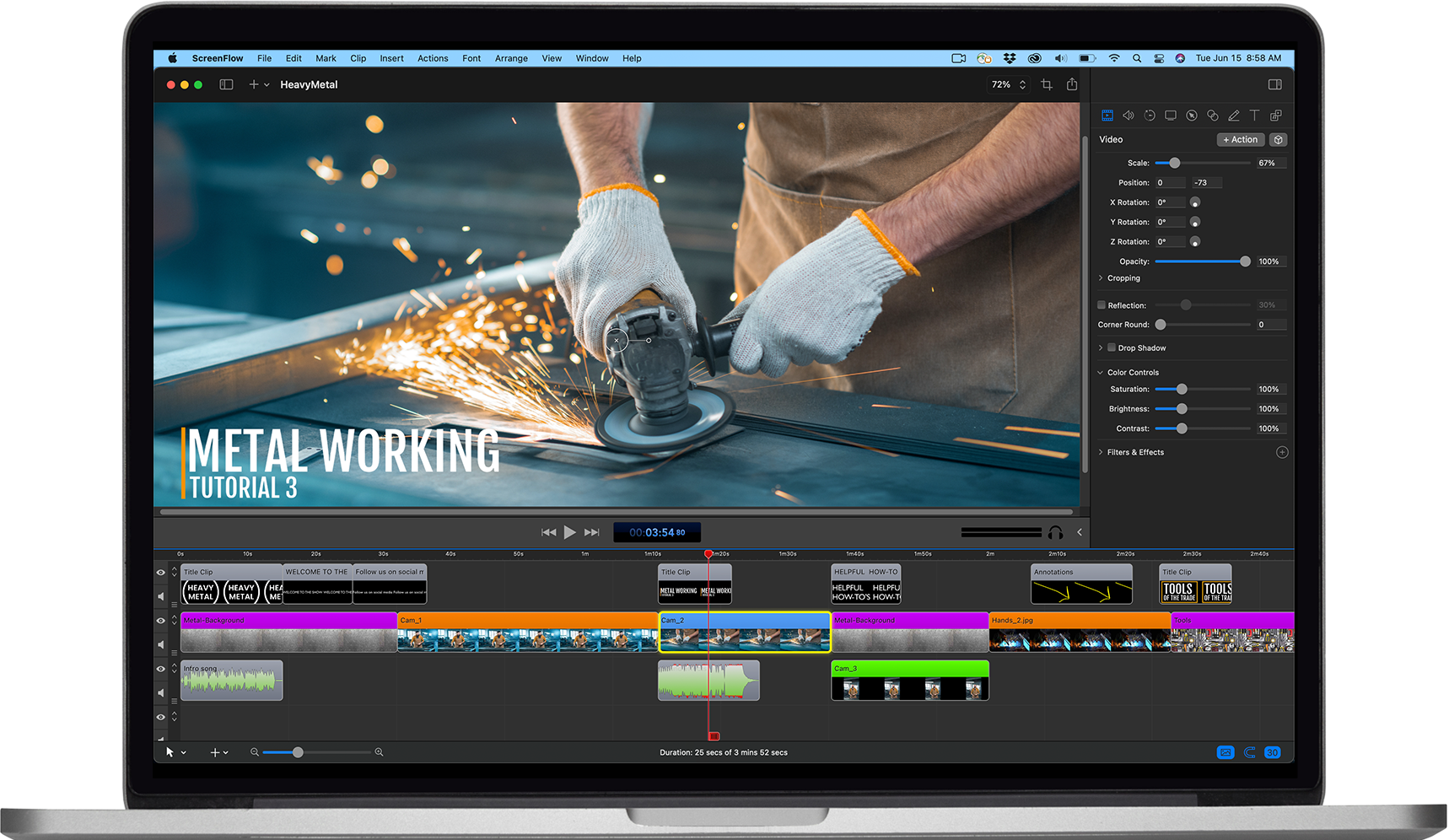
Creating, producing, and sharing has never been easier

ScreenFlow transforms your vision into captivating video with intuitive and effortless tools.
Capture your creativity with:
and more!
You’ll be producing stunning, professional-quality videos for any audience in no time and instantly share them to social media, websites, or the cloud with a few quick clicks.
See how Adrian Tucker—Spanish Musician, YouTuber, and Influencer—is building a following and his music career with ScreenFlow.











From flipping classrooms to recorded lectures, ScreenFlow gives teachers a powerful resource for video creation, student feedback, and more.

ScreenFlow allows for faster communication, better product demos, hands-on training, marketing, and coaching.

ScreenFlow helps marketers create and edit polished videos to help create engaging sales presentations and sell your products.

Provide online, on-demand video training as a cost-effective and flexible alternative to live training.
Create videos to promote your applications and bring in more revenue. Produce awesome-looking gamecasts, app previews, or software demos.
For only $99/year, you can gain access to millions of unique images, audio & video clips and more with ScreenFlow’s built-in Stock Media Library. Browse the library and add transitions, motion backgrounds, royalty-free backing tracks and more simply by dragging them to your timeline from the Stock Media Library tab!


The FREE trial of ScreenFlow (unlicensed version) is fully functional! There is no time limit, but your exported movies will be watermarked.
If you need help getting started, check out our available resources: