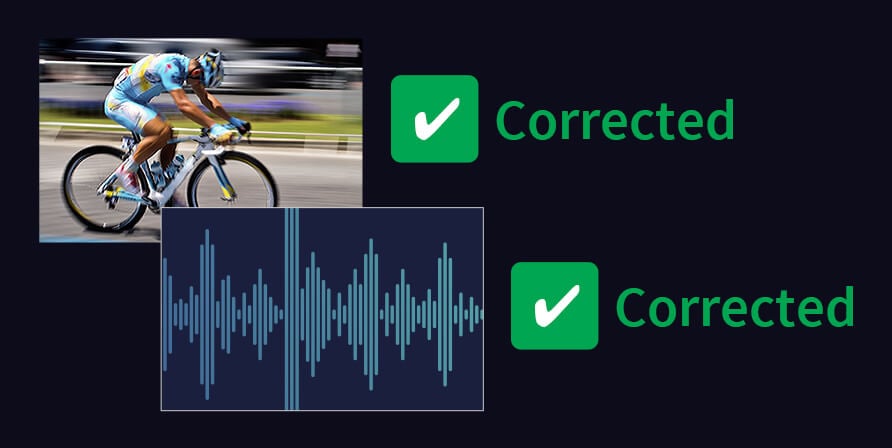
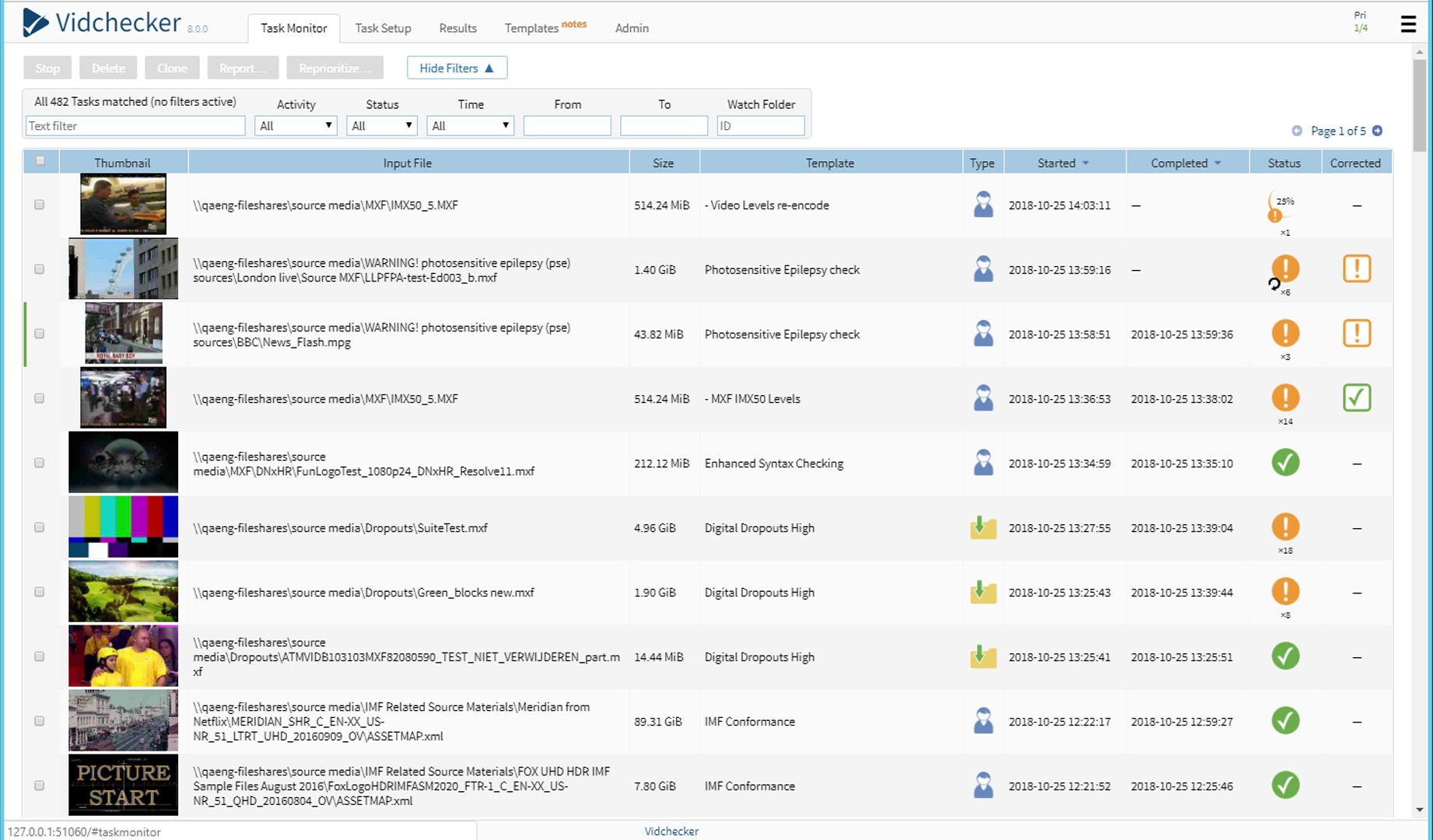
Provides thorough checking of video, audio and container parameters on 4 files concurrently with the ability to also automatically correct typical errors.

The same intuitive user interface as Vidchecker, but processes one file at a time on 8 logical cores; Vidchecker-post is ideal for the user with lighter volumes.

A media player with a timeline representation of alerts to guide QC review via PC monitor or SDI output.
A full-featured QC at a price that the smallest post production companies can comfortably afford.
Easy workflow support – use multiple watch folders with filtering, automatically send reports, move files on pass/fail/correction.
Supplied standards templates including DPP and Netflix plus ‘1 Click’ auto test template from known good media.
Thorough checks of file, video and audio parameters as well as video and audio quality, legality and correctness.
With its easy to use interface and easy deployment Vidchecker elegantly addresses the problem of the ever growing number of different platforms for OTT.
Vidchecker is an easy to install Windows software application for PCs/servers. It removes the labor intensive tasks of manually checking conformance by eye and hand, the need to check video/audio compliance with waveform monitors and audio loudness meters, and to manually correct levels with video processing amplifiers, and other tools.
The GUI is accessed through a web browser either on the local machine or remotely over a network. It is optimized for checking file-based video before and after distribution, and for use by broadcasters for checking files received from post production and content distributors to ensure that file, video and audio parameters and levels are correct and ready for broadcast.
Multiple networked PC servers with Vidchecker licenses can work together as a Vidchecker Grid for enterprise installations requiring very large file throughputs.
Intelligently correct out of limit Video Levels:Video ‘legalizers’ simply clamp or clip peak values that exceed the limits. This squeezes the range of picture contrast, can produce color artifacts where the colors become saturated and visual artifacts when the video is re-encoded. Vidcheck has developed patented intelligent algorithms that dynamically analyze the image to correct limit violations while maintaining the integrity and quality of the picture.

The US Commercial Advertisement Loudness Mitigation (CALM) Act requires the Federal Communications Commission to regulate the audio of commercials from being broadcast at louder volumes than the program material they accompany. CALM has become law in Canada and in the USA, so meeting this legislation is vital for all broadcasters and post-production houses in North America.
The ATSC practice A/85 for Audio loudness for DTV recommends use of ITU-R BS.1770-3 for loudness measurement and techniques to control peak levels and loudness. The EBU has issued loudness normalization recommendation R128 and Tech 3341. These are all covered by Vidchecker including auto correction for out-of-spec levels.
Vidchecker-post does everything Vidchecker does but processes 1 file at a time instead of 4 and the processing is limited to 8 logical cores. Please see Vidchecker for full product details.

Vidchecker-post is the version of Vidchecker for low-volume QC requirements. It is designed for post production houses, content distributors and smaller broadcasters who do not have the file-testing throughput requirements of larger companies. It is full-featured QC at a price that the smallest post production companies can comfortably afford. It can be upgraded to the full Vidchecker for the price difference as your file testing throughput requirements grow.
Please note: Vidchecker-post does not have a Grid option (so can only be used stand-alone) or a Dolby-E option. Vidchecker-post is limited to 8 logical cores.


The Vidcheck Advanced Media Player, Vamp, is used to play video and audio files on a PC screen or SDI, for QC review.
Vidchecker comes with its own simple player to view content that has been tested or corrected. However, some environments requite a more sophisticated view of the content. The Vidcheck Advanced Media Player (Vamp) is an ideal tool to guide the user through any alerts raised as part of the automated quality control process. To begin with Vamp displays the alerts along a time line representation of the content. The user can then very easily navigate to each alert in turn or randomly jump though scene by scene. Navigation is via standard industry transport controls. With the addition of a hardware graphics output card it is possible to take either an HDMI or SDI output from a workstation to a second monitor.
As well as playing out the video and audio, Vamp’s main features include timeline display of video keyframes and all audio tracks; location and description details of all alerts from Vidchecker/Vidfixer auto QC; file metadata display e.g. AS-11 MXF and “file info” data (e.g. file container, video track/codec details, and audio codec/track details) for each track.
Vamp is a standard Windows PC application.
Currently in use by many large, medium and small corporations and organizations around the world, for example: