Wirecast is compatible with a vast variety of hardware and software!
Wirecast natively has the ability to add integrated audio sources such as your PCs line-in jack, microphone or microphone jack, and even the ability to capture audio playing out of your system.
Aside from integrated device capture, Wirecast supports audio interfaces via a variety of APIs:
- Windows:
- ASIO
- WASAPI
- DirectShow (2 channels per device support only)
- macOS:
- AVFoundation
The below devices have been tested as compatible with Wirecast. While others will likely work if they support the same standards, only the devices listed here are officially supported.
Interfaces
| Brand | Model | Analog Channels | ADAT Expansion |
|---|---|---|---|
| TASCAM | Celesonic US-20x20 | 10 | 8 |
| US-16x08 | 16 | N/A | |
| US-2x2 | 2 | N/A | |
| MiNiSTUDIO Creator US-42 | 2 | N/A | |
| MiNiSTUDIO Personal US-32 | 2 | N/A | |
| Behringer | U-PHORIA UMC1820 | 8 | 8 |
| Focusrite | Scarlett 18i8 | 8 | 8 |
| M-Audio | M-Track Eight | 8 | N/A |
| MOTU | MicroBook IIc | 4 | N/A |
| Native Instruments | Komplete Audio 6 | 6 | N/A |
| PreSonus | Studio 192 Mobile | 4 | 16 |
| RME | Babyface Pro | 4 | 8 |
| Steinberg | UR242 | 4 | N/A |
| Zoom | UAC-8 | 8 | 8 |
*Some Devices have additional channels via COAX S/PDIF not listed here.
ADAT
This device allows you to add additional analog inputs to devices with ADAT expansion compatibility. While others will likely work, only the device listed here has been tested with Wirecast and is officially supported.
| Brand | Model | Analog Channels | ADAT Expansion |
|---|---|---|---|
| Behringer | ADA8200 Microphone Preamp | 8 | This is the ADAT Expander |
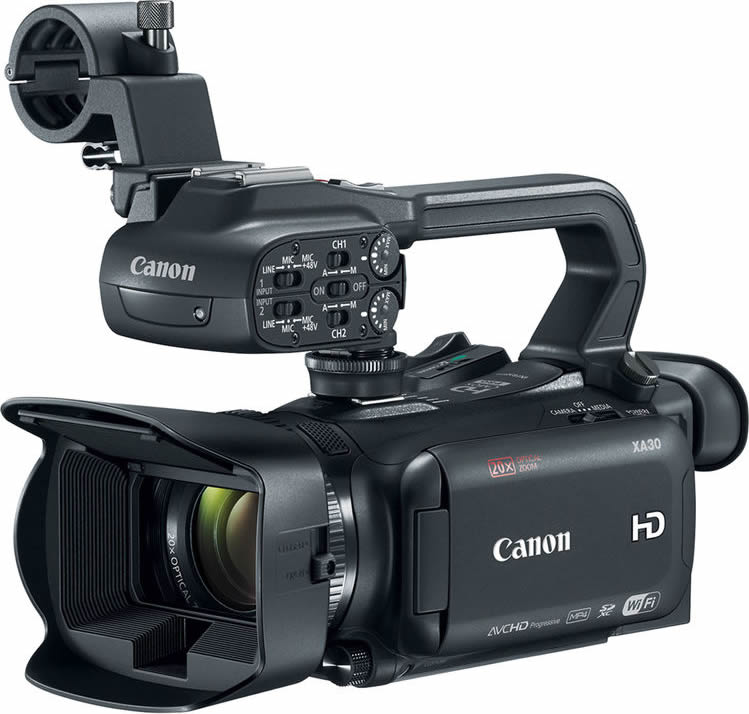
You can connect traditional SD, HD and UHD/4K video cameras to Wirecast by using a compatible capture card. DSLR and mirrorless cameras also work via capture cards. Please refer the Capture Card section below for more details on compatible capture and ingest cards. A few tips to remember when selecting a capture card to work with your camera:
- Make sure it has input connectors (SDI, HDMI, etc.) that match your camera’s output connectors
- Make sure your capture card can support the frame rate/resolution your camera outputs
- Make sure your capture card works with your computer/operating system
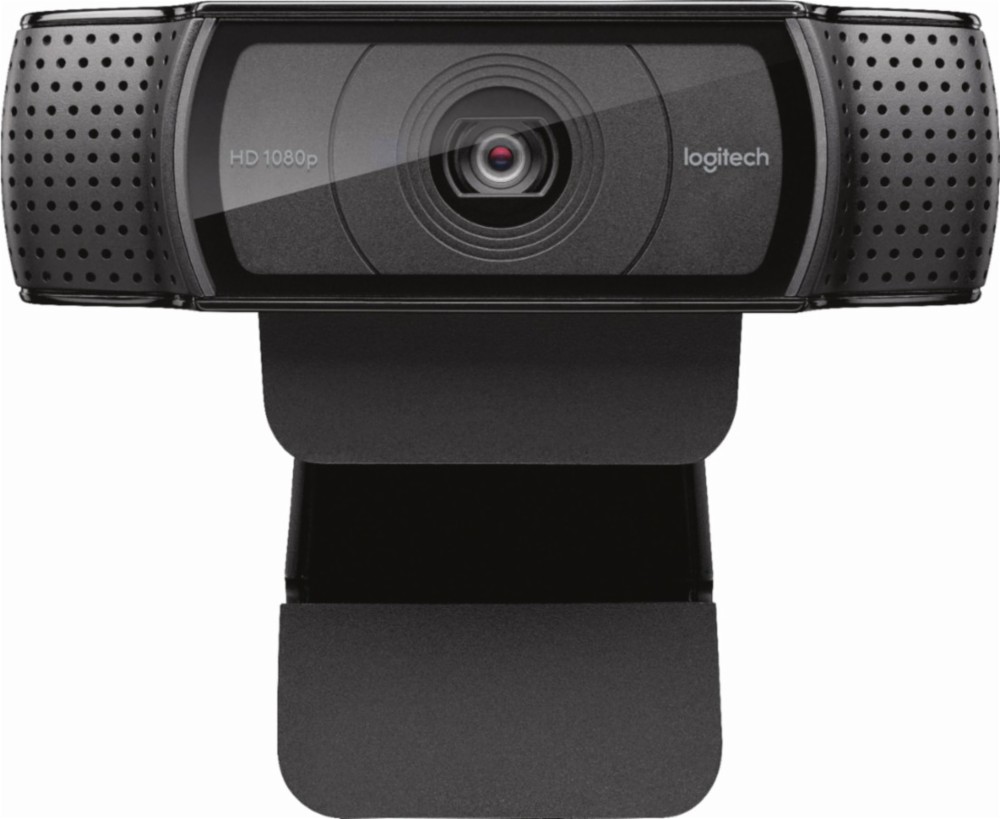
Most USB webcams should work with Wirecast as long as they are supported by AVFoundation on Mac OS X and DirectShow on Windows. Some typical webcams include, but are not limited to:
Logitech
- B910 HD Webcam
- B525 HD Webcam
- C930E Webcam
- HD Pro Webcam C910
- HD Pro Webcam C920
- HD Webcam C525
- HD Webcam C615
Microsoft
- LifeCam Cinema
- LifeCam Studio
- LifeCam HD-3000
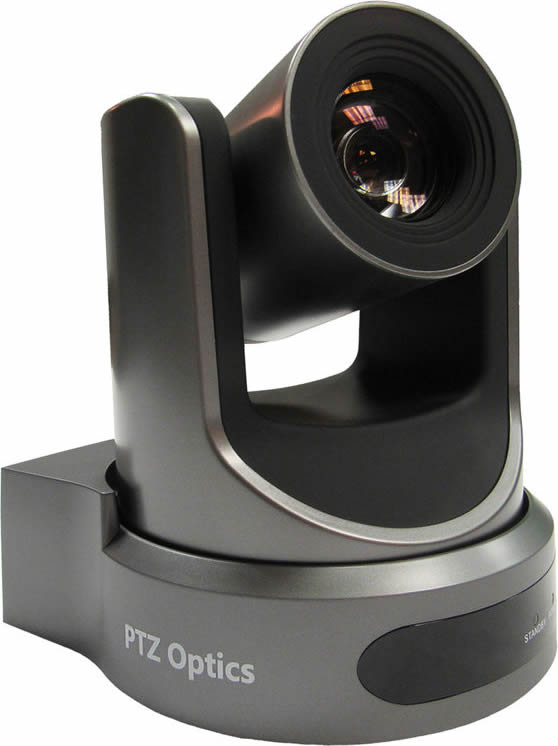
Wirecast Pro allows you to remotely control cameras with built-in pan, tilt and zoom (PTZ) features using the new PTZ Controller window. This feature currently works with PTZOptics and Lumens cameras that support VISCA over IP control, as well as NDI PTZ protocol controls.
Cameras we’ve tested:
- PTZOptics Live Streaming Cameras (VISCA/IP & NDI)
- 1 Beyond PTZ-IP20 (VISCA/TCP, VISCA/UDP)
- Lumens VC-A50PNB (VISCA/IP & NDI)
- Panasonic AW-HN130WPJ (NDI)
- Sony X-Series (VISCA/UDP)
USB PTZ Cameras
- PTZ control over USB is not supported currently, however the video feed can be acquired like most other USB webcams.
Note: Wirecast 9 and later versions have dropped support of HDV licenses/cameras. Please click here for additional information.
Capture devices enable a computer to accept HDMI or SDI input from sources such as camcorders and D-SLRs.
The HDMI port on most computers is output-only and will not accept video input. USB cables that come packaged with cameras are generally intended for file transfer and most cameras do not allow for live video monitoring via USB.
Capture devices can be external devices that deliver HDMI or SDI sources into the computer over Thunderbolt or USB, or internal cards installed into an available PCI slot on a desktop PC that allow HDMI or SDI sources to be connected to the computer directly.
Support for Capture Cards
If you need help with using the Capture card in Wirecast, we ask that you contact the manufacturer as the 1st point of support. It’s possible that you need certain drivers or recommended settings to make it work with Wirecast, and they can best assist you with this.
Note: Telestream Support is unable to officially support any of the following capture cards. We will make every effort to assist you, but you may be asked to use the above resources.
Devices listed below provide information on their supported driver and the interface required to connect to a computer running Wirecast.
A device driver is a computer program that operates or controls a particular type of device that is attached to a computer.
- Source SDK drivers make a direct connection between a particular capture card’s SDK and the Wirecast SDK. It enables a fully optimized workflow with minimal middle-man services. Blackmagic and Magewell integration is maintained by Telestream, AJA integration is maintained by AJA.
- UVC/DS/AVF drivers utilize operating system “traffic directors” and “service negotiators” to negotiate and manage connections. This adds to potential for issues to occur and potentially introduce inefficiencies. Devices using these drivers should work with Wirecast unless there are problems with the manufacturer’s driver. UVC devices use the universal driver found within both Mac and Windows operating systems. DirectShow (Windows) and AV Foundation (Mac) drivers make connections to the multimedia framework their particular operating system uses to handle video-related tasks.
| Manufacturer | Capture Device | SourceSDK | UVC/DS/Avf | Interface |
|---|---|---|---|---|
| AJA | Io 4K | Thunderbolt 2 | ||
| Io 4K + | Thunderbolt 3 | |||
| Io Express | Thunderbolt 2 | |||
| Io XT | Thunderbolt 2 | |||
| KONA 1 | PCIe | |||
| KONA 3G | PCIe | |||
| KONA 4 | PCIe | |||
| KONA HDMI | PCIe | |||
| KONA IP | PCIe | |||
| KONA LHe Plus | PCIe | |||
| KONA LHi | PCIe | |||
| U-Tap | USB 3 | |||
| AverMedia | DarkCrystal 110 (CD110) | PCIe | ||
| DarkCrystal 750 (CD750) | USB 3 | |||
| Live Gamer HD (C985) | PCIe | |||
| Live Gamer HD 2 (LGHD2) | PCIe | |||
| Blackmagic Design | DeckLink 4K Extreme 12G | PCIe | ||
| DeckLink 8K Pro | PCIe | |||
| DeckLink Duo 2 | PCIe | |||
| DeckLink Mini Recorder | PCIe | |||
| DeckLink Quad 2 | PCIe | |||
| DeckLink Quad HDMI Recorder | PCIe | |||
| DeckLink SDI 4K | PCIe | |||
| DeckLink Studio 4K | PCIe | |||
| Intensity Pro 4K | PCIe | |||
| Intensity Shuttle Thunderbolt | Thunderbolt 2 | |||
| UltraStudio 4K | Thunderbolt 2 | |||
| UltraStudio 4K Extreme | PCIe, Thunderbolt 2 | |||
| UltraStudio 4K Extreme 3 | PCIe, Thunderbolt 3 | |||
| UltraStudio 4K Mini | Thunderbolt 3 | |||
| UltraStudio HD Mini | Thunderbolt 3 | |||
| UltraStudio Mini Recorder | Thunderbolt 2 | |||
| Web Presenter | USB 2 | |||
| Bluefish444 | Epoch 4K Neutron | PCIe | ||
| Epoch 4K Supernova S+ | PCIe | |||
| Elgato | Game Capture HD60 | Windows only |
USB 2 | |
| GameCapture HD60 S | Windows only |
USB 3 | ||
| Game Capture HD60 Pro | Windows only |
PCIe | ||
| Epiphan | AV.io HD | USB 3 | ||
| AV.io SDI | USB 3 | |||
| DVI2PCI-E | PCIe | |||
| DVI2USB 3.0 | USB 3 | |||
| SDI2USB 3.0 | USB 3 | |||
| Inogeni | DVI to USB 3.0 | USB 3 | ||
| HDMI to USB 3.0 | USB 3 | |||
| SDI to USB 3.0 | USB 3 | |||
| Share 1 | USB 3 | |||
| Share 2 | USB 3 | |||
| Share 2U | USB 3 | |||
| VGA to USB 3.0 | USB 3 | |||
| Magewell | Pro Capture AIO | PCIe | ||
| Pro Capture Dual DVI | PCIe | |||
| Pro Capture Dual HDMI | PCIe | |||
| Pro Capture Dual SDI | PCIe | |||
| Pro Capture DVI | PCIe | |||
| Pro Capture HDMI | PCIe | |||
| Pro Capture Mini HDMI | PCIe | |||
| Pro Capture Mini SDI | PCIe | |||
| Pro Capture Quad HDMI | PCIe | |||
| Pro Capture Quad SDI | PCIe | |||
| Pro Capture SDI | PCIe | |||
| USB Capture HDMI | USB 3 / USB 2 | |||
| USB Capture HDMI Plus | USB 3 / USB 2 | |||
| USB Capture SDI Plus | USB 3 / USB 2 | |||
| USB Capture DVI Plus | USB 3 / USB 2 | |||
| USB Capture SDI | USB 3 / USB 2 | |||
| Osprey | 260e | PCIe | ||
| 460e | PCIe | |||
| 811e | PCIe | |||
| 815e | PCIe | |||
| 816e | PCIe | |||
| 820e | PCIe | |||
| 821e | PCIe | |||
| 825e | PCIe | |||
| 827e | PCIe | |||
| 840e | PCIe | |||
| 845e | PCIe | |||
| USB 3 Video Capture | USB 3 |
Telestream is continually testing and qualifying new devices. Once verified, they will be added to this “Capture Card Support” list. Devices not listed may work with Wirecast, but if they are not officially qualified, our technical Support Staff may not have the information necessary to troubleshoot.
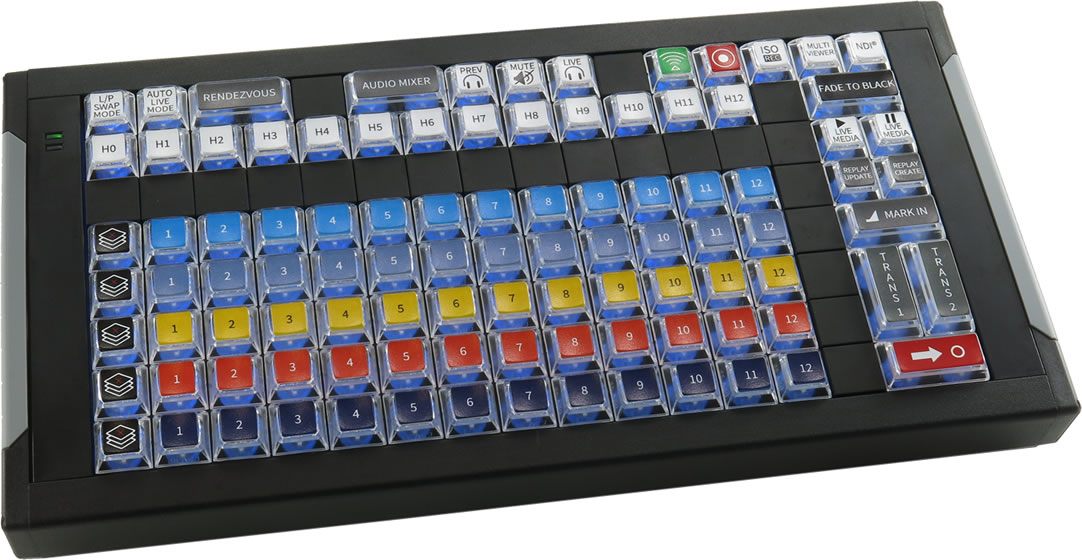
X-keys for Wirecast
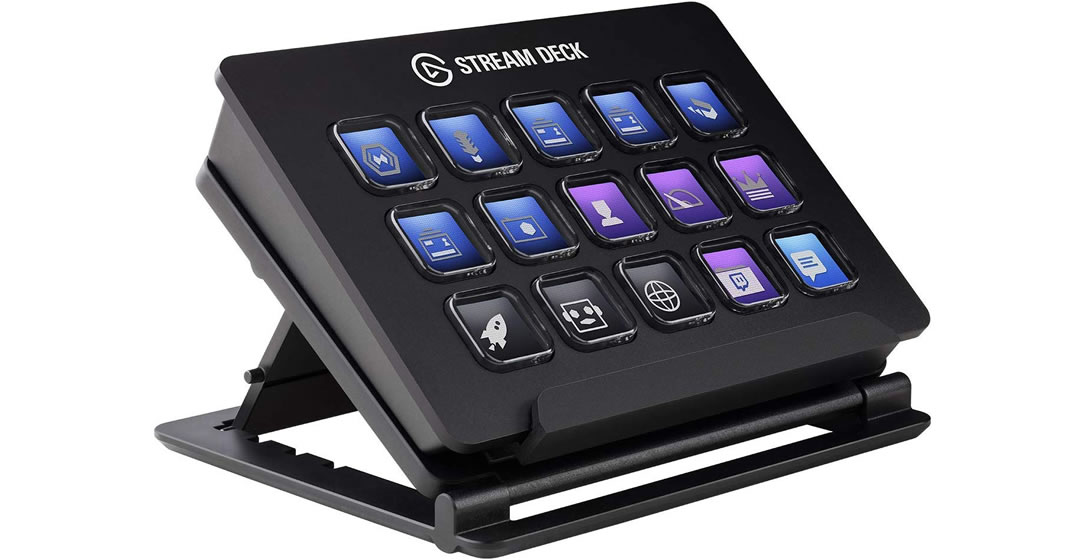
Elgato Stream Deck
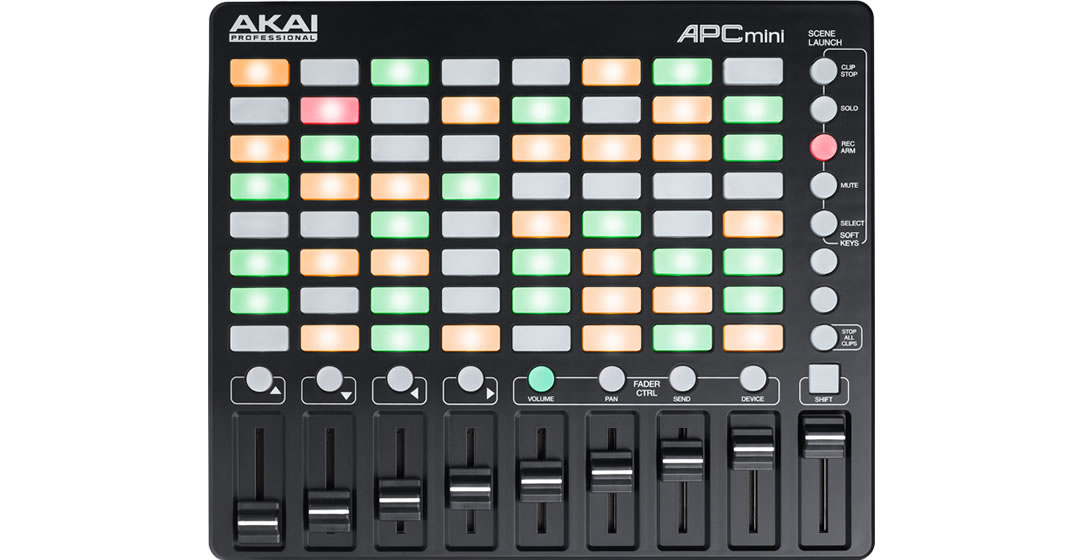
Akai Professional APC mini
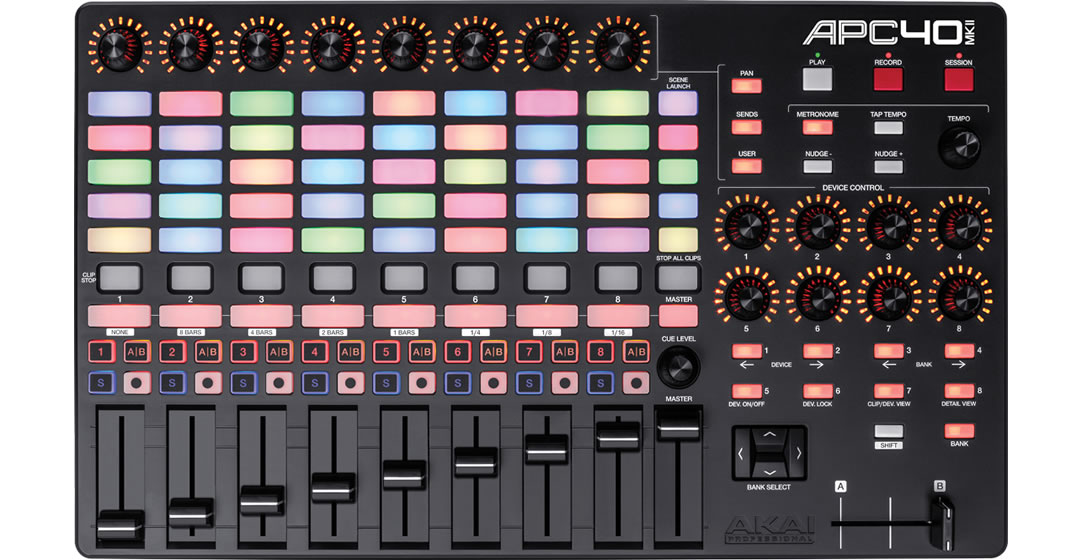
Akai Professional APC40 mkII
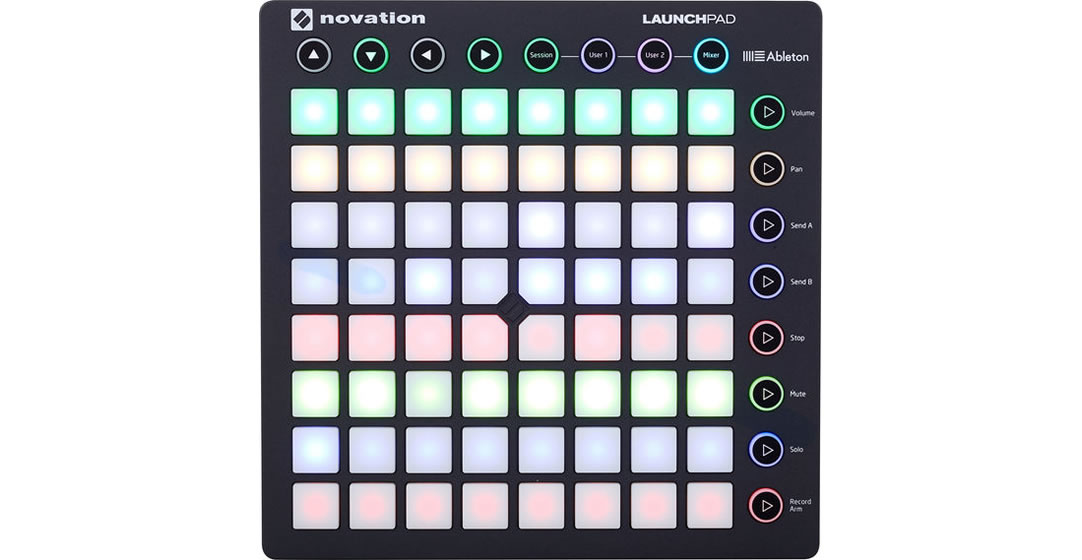
Novation Launchpad MK2
X-keys for Wirecast
- Custom designed buttons of the brand-new X-keys control surface for Wirecast allow faster, tactile operation of Wirecast while switching and producing your live shows. Compatible with USB on Mac or Windows. Sold separately for $659.95. Learn more.
Elgato Stream Deck
- Own an Elgato Stream Deck? Install the free Wirecast Plugin for Stream Deck for easy, tactile control of your broadcast. Compatible with Mac or Windows. Stream Deck sold separately. Download the Stream Deck Application and install the plugin from within the application.
Read our User's Guide | Watch the Tutorial
Generic MIDI Controllers:
MIDI (short for Musical Instrument Digital Interface) control surfaces are USB-connected devices that enable tactile control of specific functions in Wirecast.
Depending on the device, controllable functions may include the ability to select shots, take shots live, set transitions, adjust audio mixer volumes and set audio channel pan.
Supported control surfaces:
- AKAI Professional APC mini
- AKAI Professional APC40 mkII
- Novation Launchpad MK2
X-keys for Wirecast
Elgato Stream Deck
Akai Professional APC mini
Akai Professional APC40 mkII
Novation Launchpad MK2
Please Note: MIDI control is not a final implementation and we intend to add features and broaden support for more devices in future releases.
Wirecast Pro now accepts RTMP, RTMPS, RTMP(e), RTSP, HTTP, and MMS streams directly with proper credentials and stream keys (if required). Teradek wireless devices can be added for cordless production.
Wirecast Pro is compatible with web/IP/security cameras (e.g., Bolin, PTZOptics, Panasonic, etc.) and network devices (e.g., LiveU, SportZcast, etc.).
Wirecast Pro supports web streams which support network video ingest over the Apple Bonjour protocol.
Teradek Cube is supported through the Wirecast Source SDK.
If IP cameras on the local network are not automatically recognized, they can be manually added as sources.
Wirecast Pro supports HDMI or SDI output through the following AJA and Blackmagic playback devices:
AJA
- Io4k
- Io4k+
- Io Express
- Io XT
- Kona 1
- Kona 3G
- Kona 4
- Kona 5
- Kona LHe Plus
- Kona LHi
- T-Tap
Blackmagic
- Decklink 4K Extreme 12G
- Decklink 8K Pro
- Decklink Duo 2
- Decklink MiniMonitor 4K
- Decklink MiniMonitor
- Decklink Quad 2
- Decklink SDI 4K
- Decklink Studio 4K
- Intensity Pro 4K
- Intensity Shuttle Thunderbolt
- UltraStudio 4K Extreme 3
- UltraStudio 4K Mini
- UltraStudio HD Mini
- UltraStudio Monitor 3G
- UltraStudio MiniMonitor
Use Wirecast's built-in screen capture tool for unlimited capture of content directly from your computer screen(s). Pull any application window or connected monitor’s desktop directly into Wirecast as a live, viewable camera source, or just select the region of your screen you want to capture. To capture screens from other computers on your local area network, use our free, cross-platform app, Remote Desktop Presenter.
NDI stands for “Network Device Interface,” and it is an IP streaming video protocol that was developed by NewTek to simplify sharing video, audio and graphics sources across a network.
When an NDI source joins a network, it automatically announces itself through a multicast protocol known as mDNS, and can be seen by other NDI devices or applications on the same network and subnet without entering an IP address.
Please note: NDI requires 8-125 Mbps of bandwidth per source. 1 Gigabit of network bandwidth is recommended for best results.
The list of software and hardware that supports NDI is continually growing as the technology develops, but below are some commonly used NDI enabled products that can be used to send video into Wirecast.
Wirecast Pro can also output it’s produced live feed over NDI, allowing it to be received by other devices or software on the local network.
| Name | Use | Platform | Notes | |
|---|---|---|---|---|
| Software | Adobe Creative Cloud | NDI output from After Effects, Character Animator, Premiere Pro | Windows/Mac | |
| EasyWorship | Graphics software for houses of worship | Windows | ||
| NewBlue Titler Live | Graphics and titling software that comes in several modules: Express, Social, Sport, Present, Complete | Windows/Mac | NDI support in all modules (including Express) | |
| NewTek NDI Connect | Converts SDI or HDMI sources from capture cards into NDI | Windows | ||
| NewTek NDI Scan Converter | Desktop screen capture | Windows/Mac | ||
| NewTek NDI Signal Generator | Test patterns | Windows | ||
| NewTek NDI Telestrator | Video markup | Windows | ||
| NewTek NDI Transmit | Webcam output | Windows | ||
| ProPresenter | Graphics software for houses of worship | Windows/Mac | Requires SDI/NDI Module | |
| Sienna NDI Scan Converter | Desktop screen capture | Mac | ||
| Sienna NDI Signal Generator | Test patterns | Mac | ||
| Sienna NDI Source | Converts SDI or HDMI sources from capture cards into NDI | Mac | ||
| Sienna NDI Source Multi | Converts multiple SDI or HDMI sources from capture cards into multiple NDI streams | Mac | ||
| Sienna WebCam for NDI | Webcam output | Mac | ||
| Mobile Apps | LiveMedia LM-Cam | Turn your iPhone into a professional NDI camera | iOS | |
| Sienna NDICam | Create NDI Sources from iPhone/iPad | iOS | ||
| Sienna WebNDI | Create NDI Sources from iPad web browser or photo library | iOS | ||
| NewTek NDI Camera | Create NDI Sources from iPhone, iPad or Android | iOS/Android | ||
| Hardware | BirdDog | Create NDI sources from SDI or HDMI sources | Ethernet | |
| NewTek Connect Spark | Create NDI sources from SDI or HDMI sources | Ethernet/WiFi | ||
| Cameras | BirdDog | Outputs full NDI | Ethernet | |
| NewTek NDI PTZ Camera | Outputs NDI HX stream | Ethernet | ||
| Panasonic | Outputs NDI HX stream | Ethernet | Older models can upgrade firmware for NDI support | |
| PTZOptics | Outputs NDI HX stream | Ethernet | Older models can upgrade firmware for NDI support | |
| Viewing Output | NewTek NDI Studio Monitor | View NDI sources on desktop computer | Windows/Mac | |
| Sienna NDI Monitor | View NDI sources on desktop computer | Mac | ||
| Sienna NDI Outlet | Receive NDI and output SDI/HDMI | Mac | Requires Blackmagic Playback Device | |
| Sienna NDI Outlet Multi | Receive multiple NDI sources and output SDI/HDMI | Mac | Requires Blackmagic Playback Device | |
| Sienna NDI WebLink | View NDI sources in any web browser | Mac | ||
| VLC Player | View NDI sources in video player client | Windows | Requires NewTek NDI VLC Plugin |